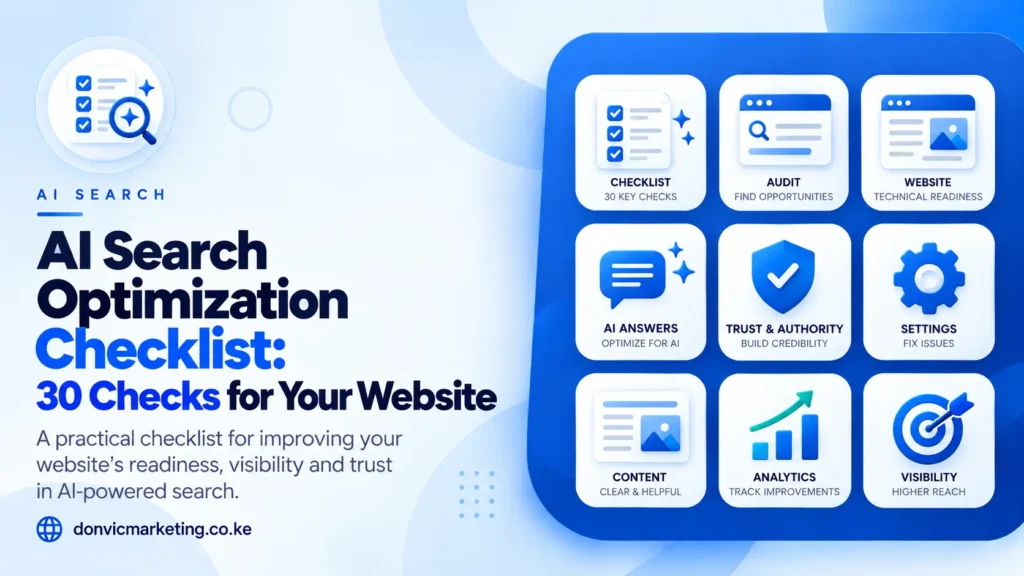
Most AI search advice tells you what to think about. This checklist tells you what to check. There are thirty items, grouped into eight areas, and each one has a pass condition and a way to test it. You can work through the first half in an afternoon with Search Console, Bing Webmaster Tools and a browser.
The checks follow the order in which AI search tools actually encounter a site: can they reach it, is it indexed, can they understand it, is it worth quoting, and can you see the results. Fix failures in that order. A brilliant page that no crawler can reach will never be cited.
Every check is based on published guidance from Google, Microsoft, OpenAI or Perplexity, linked where it first appears. Where a check is our own recommendation rather than platform guidance, we say so.
How to Score Yourself
Mark each check pass, fail or not applicable. Then:
- Any failure in checks 1 to 11 is urgent. These decide whether you can appear at all.
- Failures in checks 12 to 28 limit how well you are understood and how much of your content can be used.
- Failures in checks 29 and 30 limit how much you can learn and improve.
A site passing all of 1 to 11 has cleared the technical bar. Everything after that is about competing well.
Access for AI Crawlers (Checks 1 to 6)
| # | Check | Pass if | How to test |
| 1 | Googlebot is allowed | robots.txt does not disallow Googlebot from pages you want found | Open yoursite.co.ke/robots.txt; use the robots.txt report in Search Console |
| 2 | Bingbot is allowed | robots.txt does not disallow Bingbot | Same file; Bing Webmaster Tools’ robots.txt tester |
| 3 | OAI-SearchBot is allowed | robots.txt does not disallow OAI-SearchBot | Same file. OpenAI’s crawler documentation says this is the agent for ChatGPT search |
| 4 | PerplexityBot is allowed | robots.txt does not disallow PerplexityBot | Same file. See Perplexity’s crawler page |
| 5 | Your firewall and CDN let them through | No challenge pages or blocks for these crawlers | Check firewall or CDN bot settings; look for 403 responses in server logs. Google asks you to allow crawling “by any CDN or hosting infrastructure” |
| 6 | Training crawlers are a separate, deliberate choice | Your decision on GPTBot and Google-Extended is recorded and does not affect search crawlers | Read your robots.txt rules for each. Blocking GPTBot does not remove you from ChatGPT search |
Check 6 is where good intentions go wrong. Some sites block every AI crawler to protect their content and lose search visibility in the process. OpenAI’s search and training crawlers are independent, and Google says Google-Extended “does not impact a site’s inclusion in Google Search”. Our robots.txt guide shows the syntax.
Indexing and Eligibility (Checks 7 to 11)
| # | Check | Pass if | How to test |
| 7 | Key pages are indexed in Google | Your main service, product and location pages show as indexed | URL Inspection in Search Console |
| 8 | Key pages are indexed in Bing | The same pages appear in Bing | URL Inspection in Bing Webmaster Tools. Copilot draws on Bing |
| 9 | Pages can show a snippet | No nosnippet or restrictive max-snippet on pages you want quoted | View source; Google requires snippet eligibility for AI features |
| 10 | Your site is included in Google’s AI features | Search Console’s Search generative AI setting is set to include | Settings > Search generative AI. Available to all sites since 31 August 2026 |
| 11 | Your sitemap is current and submitted | Sitemap lists live, canonical URLs and is submitted to Google and Bing | Sitemaps report in both tools. See our XML sitemaps guide |
Checks 7 to 10 are the Google side of eligibility; our guide to optimising for Google AI Overviews explains each one. If check 7 fails widely, stop here and read why a website does not show on Google. Google’s AI features page is explicit that there are no extra technical requirements for AI Overviews or AI Mode beyond being indexed and eligible for a snippet.
Failing checks 1 to 11? Our SEO audit, from KES 25,000, documents every failure with a fix list you keep. Ask for AI crawler access to be in scope. Book an SEO audit.
Site Structure and Internal Links (Checks 12 to 14)
| # | Check | Pass if | How to test |
| 12 | Important pages are linked from other pages | Every key page has at least one internal link from a related page, not only the menu | Crawl the site with a free crawler, or check Search Console’s Links report |
| 13 | Duplicate versions are consolidated | One canonical URL per page; no competing duplicates | URL Inspection shows the Google-selected canonical |
| 14 | Important content is in the page’s text | Prices, hours, services and key facts are in HTML text, not only in images or PDFs | View the page with images off, or read the page source |
Google lists internal links and “making sure that important content is available in textual form” among the fundamentals for AI features. Our guide to internal linking covers the practice.
Business Facts and Identity (Checks 15 to 19)
| # | Check | Pass if | How to test |
| 15 | Your business name is identical everywhere | Same name on site, Business Profile, directories and social profiles | Search your name; compare the first ten listings |
| 16 | Address, phone and hours match | No outdated numbers or closed branches listed anywhere | Same search; check your Google Business Profile first |
| 17 | Your services are described consistently | The same services are listed on your site and your profiles | Compare your services page with your Business Profile services |
| 18 | An About page names real people | Founders or key staff are named, with their roles | Read your own About page as a stranger would |
| 19 | Reviews are recent and genuine | Reviews in the last few months; none bought or invented | Your Business Profile review list |
These five are our recommendation rather than a platform requirement. They follow from Google’s note that its AI features can reflect what is said about businesses across the web, and its warning against seeking “inauthentic mentions”. If you need more reviews, our guide to getting more Google reviews explains how to ask properly.
Structured Data (Checks 20 and 21)
| # | Check | Pass if | How to test |
| 20 | Structured data matches the visible page | Every fact in your markup appears on the page | Rich Results Test; compare with the page |
| 21 | No “special AI schema” has been added | No markup claiming to be for AI or ChatGPT | View source. Google says there is no special schema needed |
Structured data is useful for rich results and clarity, and Google recommends continuing to use it. It is not required for AI features, and Google’s AI features page asks you to make sure it “matches the visible text on the page”.
Content Worth Citing (Checks 22 to 26)
| # | Check | Pass if | How to test |
| 22 | Your top customer questions are answered on your site | The ten questions customers ask most each have a clear answer on a relevant page | List them from your inbox and WhatsApp; search your site for each |
| 23 | Answers come first | Sections start with the direct answer, then the detail | Read the first two sentences of each section |
| 24 | Specifics are stated | Prices or price ranges, timeframes, areas served and processes are on the page | Search the page for numbers |
| 25 | Content is first-hand | Pages include your own experience, data, photos or methods, not only general information | Ask: could a competitor publish this page unchanged? |
| 26 | No mass-produced question pages | No sets of near-identical pages made for query variations | Review your blog and location pages for duplicates in all but name |
Checks 25 and 26 come straight from Google’s guide to generative AI features, which asks for “non-commodity” content and warns that creating pages for every query variation breaches its scaled content abuse policy. Our explainer on query fan-out explains how to cover related questions without that risk.
Freshness and Updates (Checks 27 and 28)
| # | Check | Pass if | How to test |
| 27 | Changing facts are current | Prices, hours and policies on the site match reality today | Spot-check five pages |
| 28 | Bing is told about changes | IndexNow is enabled, or sitemaps are resubmitted after major changes | Check your SEO plugin settings; see IndexNow |
Measurement (Checks 29 and 30)
| # | Check | Pass if | How to test |
| 29 | You read the AI reports monthly | Someone checks Search Console’s Generative AI performance report and Bing’s AI Performance report each month | Open both reports and note the date you last did |
| 30 | AI referrals are tracked to enquiries | GA4 separates visits from ChatGPT, Perplexity and Copilot (check the session source names in your own data), and links them to enquiry events | GA4 traffic acquisition report filtered by session source |
Google’s Generative AI performance report shows impressions only, by page, country, device and date. Clicks from AI features sit inside the normal Performance report. Our guide to tracking SEO leads in GA4 shows how to connect visits to enquiries.
Things That Are Not on This List
You will find these on other checklists. They are left off this one because the platforms say they are unnecessary for Google Search:
- An llms.txt file. Google says its Search ignores it. It is harmless if another service uses it.
- “Chunking” content into small pieces. Google says it is not required.
- Rewriting content in a special style for AI. Google says you do not need to.
- Buying mentions or reviews. Against policy everywhere, and Google says it does not help.
Prioritising Your Fixes
If you have a list of failures, fix them in this order:
- Access and indexing (1 to 11). These are usually quick technical fixes with an outsized effect.
- Business facts (15 to 19). Low cost, mostly admin, and they help local search too.
- Text and structure (12 to 14, 20, 21). Often a developer task of a few hours.
- Content (22 to 28). The slowest and most valuable. Work through your most important pages first.
- Measurement (29 and 30). Set up once, then review monthly.
For the reasoning behind each area, read our AI search optimization guide. For the mechanism behind the access checks, see how AI search engines find and cite websites.
Want Us to Run the Checklist?
We run these thirty checks as part of our SEO audits, from KES 25,000, and fix them as part of our AI search optimization work inside every SEO package. You get a written list of passes and failures with the fix for each.
Book an SEO audit: send us your website, call 0741 312 101 or message us on WhatsApp.