When an AI tool answers a question and links to three websites, it can look as though it simply “knows” those sites. It does not. Each of those links is the end of a chain: a crawler visited the page, an index stored it, a search found it, a model read it and a citation system decided to show it. If any link in that chain breaks, the page drops out.
This article follows that chain one stage at a time, across Google, ChatGPT, Microsoft Copilot and Perplexity, and shows where businesses most often fall out of it.
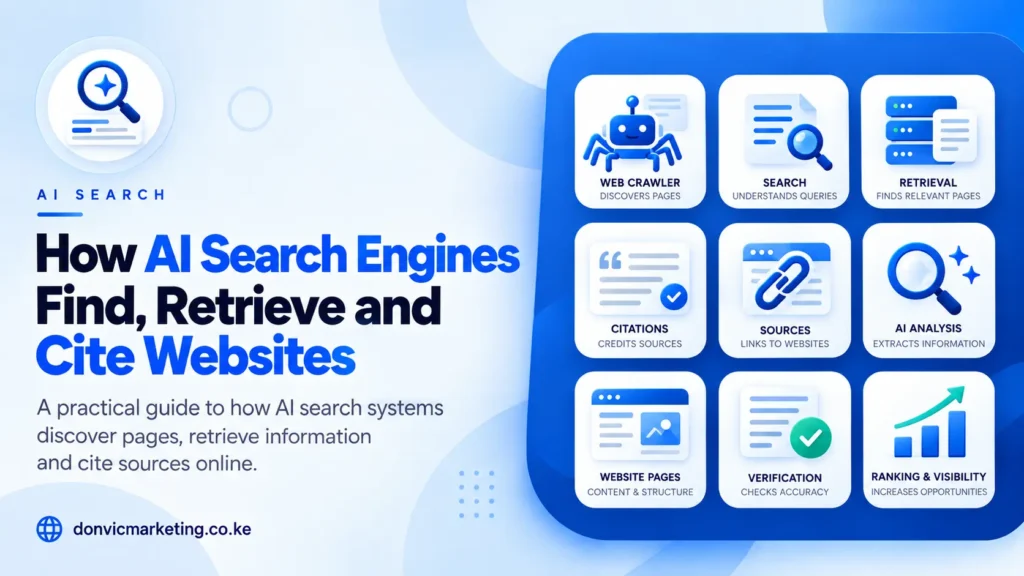
The Chain in One Line
Discover → Index → Retrieve → Ground → Write → Cite
The first two stages happen long before anyone asks a question. The last four happen in the seconds after they do. You can influence the first three directly, the fourth through the quality of your page, and the last two not at all, beyond being a good candidate.
Stage 1: Discovery
A crawler has to find and fetch your page. It learns that the page exists from links on other pages, from your own internal links and from your sitemap.
Each platform uses a named crawler for search:
| Platform | Search crawler | Where it is documented |
| Google AI Overviews and AI Mode | Googlebot | Google crawler documentation |
| Microsoft Copilot and Bing | Bingbot | Bing Webmaster Tools |
| ChatGPT search | OAI-SearchBot | OpenAI’s crawler overview |
| Perplexity | PerplexityBot | Perplexity’s crawler documentation |
What breaks here: a robots.txt rule that blocks the crawler, a firewall or CDN that challenges it, pages with no internal links pointing to them, and a missing or broken XML sitemap. Google’s AI features guidance asks site owners to make sure crawling is allowed “by any CDN or hosting infrastructure”, not only in robots.txt, because security layers are a frequent silent blocker.
A detail about timing: OpenAI says it can take about 24 hours for its systems to adjust after you change robots.txt. Google says recrawling can take anywhere from several days to several months, depending on how often it decides a page needs refreshing.
Stage 2: Indexing
After fetching a page, the platform processes it and stores it in a searchable index. Only indexed pages can be retrieved later.
For Google, this is the same index used for ordinary search. Google states that to be shown as a supporting link in AI Overviews or AI Mode, a page must be “indexed and eligible to be shown in Google Search with a snippet”, and there are “no additional technical requirements”. Since 31 August 2026 there is one extra switch: the Search generative AI setting in Search Console, where a site can be included in or excluded from AI features. Inclusion is the default.
What breaks here: a noindex tag left over from development, pages Google has crawled but chosen not to index, duplicate pages competing with each other, and a nosnippet directive that makes the page ineligible to be quoted. If your pages are not in Google at all, our guide to why a website does not show on Google is the place to start, and crawled, currently not indexed explains the most common status.
Not sure the crawlers can reach you? We will run an AI crawlability check across Googlebot, Bingbot, OAI-SearchBot and PerplexityBot and send you the results. Ask for a check.
Stage 3: Retrieval
Now someone asks a question. The system searches its index for pages likely to help.
Google adds a twist it calls query fan-out: the model issues “a set of concurrent, related queries” to gather more material. A question about keeping a lawn free of weeds, in Google’s own example, fans out into separate searches about herbicides, chemical-free removal and prevention. Each of those searches can retrieve different pages.
Bing gives a rare view of this stage. Its AI Performance report in Bing Webmaster Tools shows a sample of “grounding queries”, the phrases the AI used when retrieving content that was then cited.
What decides retrieval: the same relevance and quality systems as normal search. Google says its AI features rely on “our core Search ranking systems to retrieve relevant, up-to-date web pages”. A page that would not rank for anything related to the question is unlikely to be retrieved for it.
Stage 4: Grounding
The model reads the retrieved pages and writes its answer from what they say, rather than from memory alone. This is called grounding, or retrieval-augmented generation (RAG). Google describes it as a way to “improve the quality, accuracy, and freshness of AI responses”.
At this stage, what matters is what your page actually says in readable text. A model can only use a price, a process or a definition that is stated on the page. Information locked in images, PDFs behind forms or text that only appears after a click is harder to use. Google’s AI features page lists “making sure that important content is available in textual form” among the fundamentals.
Our guide to RAG and search grounding goes deeper into why grounding favours fresh, specific and well-sourced pages.
Stage 5: Writing the Answer
The model writes a summary. It may combine several sources, paraphrase them and add its own connecting text. You have no direct control here. Google notes that AI Overviews and AI Mode “may use different models and techniques”, so the same question can produce different answers and links in each.
The only influence you have is indirect: accurate, clearly stated facts are less likely to be misrepresented than vague ones.
Stage 6: Citation
Finally, the tool decides which sources to show as links. None of the platforms publishes its full selection criteria. What they do publish is limited:
- Google shows “prominent, clickable links to relevant web pages that support the information in the response”. In Search Console, all links in an AI Overview share that Overview’s single position.
- OpenAI says sites that opt out of OAI-SearchBot “will not be shown in ChatGPT search answers”, although it notes they can still appear as a plain link when someone is looking for that site specifically.
- Perplexity says PerplexityBot exists “to surface and link websites in search results”.
- Microsoft reports citations per page in its AI Performance report, and notes that the data does not indicate ranking or the role of a page within an individual answer.
Why Being Eligible Is Not the Same as Being Cited
Meeting every technical requirement makes a page a candidate. It does not make it a winner. Google says so plainly: “Just because a page meets all requirements… doesn’t mean that Google will crawl, index, or serve its content.”
Think of stages one and two as qualifying rounds and stages three to six as the final. Qualifying is within your control. The final depends on how your page compares with every other candidate for that question, which is where helpful, original content and a trustworthy reputation make the difference.
Two Visitors That Are Not Crawlers
Both OpenAI and Perplexity also run agents that visit pages when a user asks them to, rather than crawling on a schedule:
- ChatGPT-User visits a page during a user’s request. OpenAI says robots.txt “may not apply” because the visit is user-initiated, and that this agent is not used to decide what appears in search.
- Perplexity-User does the same for Perplexity and, according to Perplexity, “generally ignores robots.txt rules”.
These visits can show up in your server logs and analytics. They are not a sign that you have been indexed or cited.
What This Means in Practice
Work through the chain from the start, because each stage depends on the one before:
- Discovery: allow the four search crawlers in robots.txt, your firewall and your CDN. Keep your sitemap current.
- Indexing: confirm key pages are indexed in Search Console and Bing Webmaster Tools, and that the Search generative AI setting includes your site.
- Retrieval: make sure your pages would rank for the questions around your services, not only the exact phrases.
- Grounding: state important facts in plain text on the page.
- Measurement: watch the Generative AI performance report and Bing’s AI Performance report for pages that are and are not being used.
For Google’s part of the chain in particular, our guide to optimising for Google AI Overviews covers the Search Console setting, snippet controls and reports.
Our AI search optimization checklist turns these into thirty pass or fail checks. For the full framework, read our AI search optimization guide. And if you want someone to run the chain for you, it is part of our AI search optimization service, included in every Donvic SEO package.
Run an AI crawlability check: send us your website or call 0741 312 101. We will tell you which stage your site is falling out at.